Well this is it. Sort out email and I can get this sucker up on a server and have it being used in a local business by 'real' users . . . . after some online testing of course.
At the moment I cannot get out going mail working. I have:
- Contacts BO with inteligent activated and 'EmailAddress' defined.
- OutgoingEmail Notification configured
- OutgoingEmailAccount BO created for mail settings for each contact. smtp.office365.com. port 587, SSL:Yes, TLS: Yes, username and password.
The form I am using does its save, runs a send email process and closes.
FIND OutgoingEmailAccount WHERE OutgoingEmailAccount.Owner=LoggedInContact
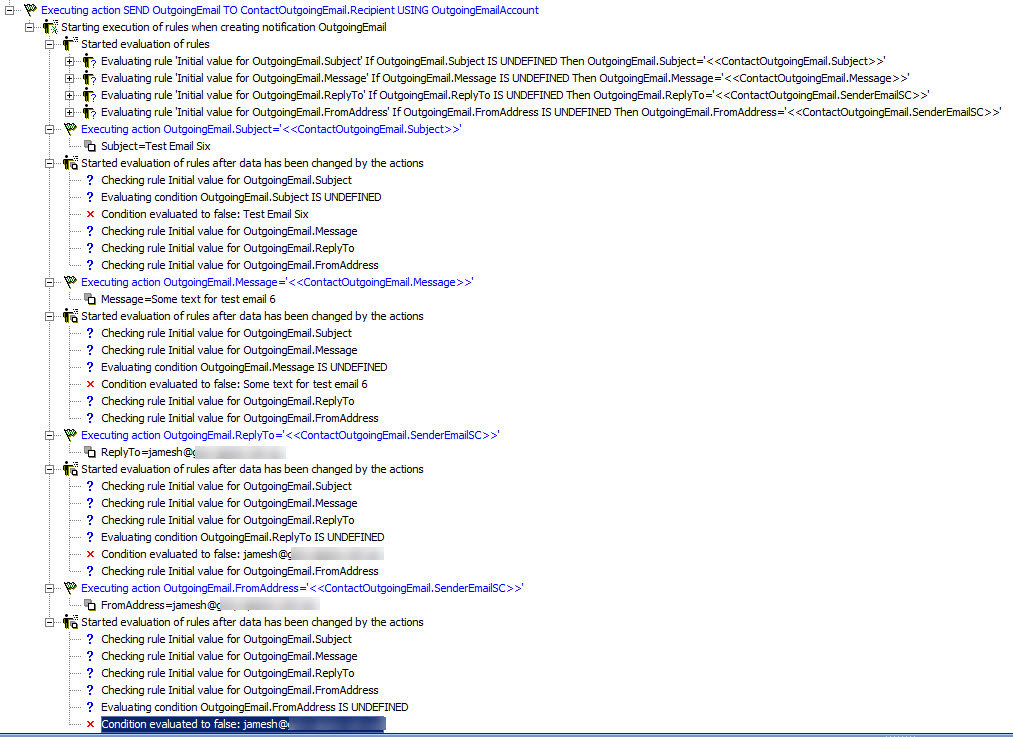
SEND OutgoingEmail TO ContactOutgoingEmail.Recipient USING OutgoingEmailAccount
I have looked at the logs and cannot see anywhere that the system passes off the data to the smtp server. What step have I missed?