I changed this to HTML, and now its having problems unzipping the Imported Template.

Which, by the way is a pain to Import.
Clicking Import displays an Open File Dialog, which doesn't work correctly. Mine won't see files in the directory and doesn't let you use a wildcard to select file types.
**** I think you're using the SAVE AS "export" dialog box Incorrectly as the OPEN "Import" box also. Probably a typo.
I already tried HTML last night during my initial 2 hours messing with this, and then assumed I didn't have my template named correctly since no files were listed in the Open Dialog. I could not tell if AIM wanted ".htm" or ".html" files cause the FileTypes selector is broke. So I gave up on HTML and went back to text.
Later, somehow a bunch of files appeared only once, but now since I've made a HTML template and a bunch of new Templates (cause you cannot change the type once you create a template), no files ever show up in the Open Dialog to select. I have found a workaround that if I add a "*" to the end of the path box, the first HTML it find intuit dir. will be selected as the template - even though a cryptic message box pops up saying I don't have rights to the MUSIC directory.

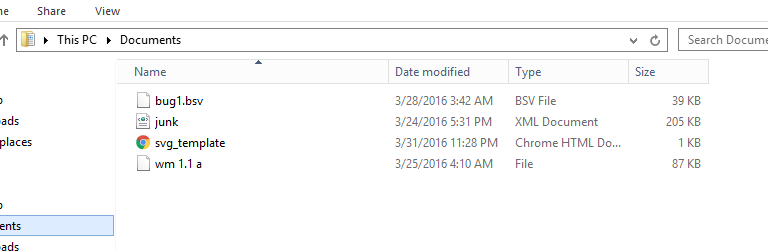
here's what \Documents looks like. There's no MUSIC directory in sight!
Here's what I think is happening...
If I click VIEW to view the template, it correctly opens my .html template in a browser.
But I don't think it imported it correctly and compressed it.
Which is why the inflator steps are failing. But i could be wrong. I think its related to the whole messed up way that I cannot import the Template correctly.
Its grabbing the filename somehow (cause the VIEW brings up the right file) but it can't unzip it at runtime cause its not really in there? dunno
Actually, I don't think thats it because the EXPORT is successfully creating an OUTPUT file of the original template.
