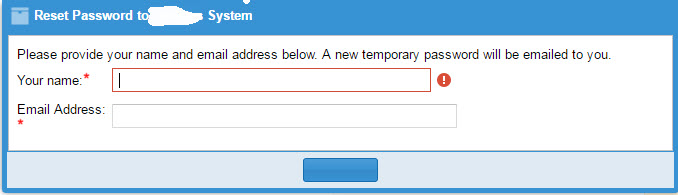
1) On the login page, I have text "Forgot your password? - click here to reset your password via email"
linked to: http://awareim.yourcompany.com:8080/AwareIM/logonFP.aw?domain=savname
2) that link runs the process that has this box checked on the first page of the process screen in the config tool: "Handles 'forgotten password' functionality
3) four steps in my process:
a) DISPLAY URL 'http://www.CompanyName.com/Login' IN MAIN WINDOW (this redirects to display the AwareIM login screen to this BSV in case the user cancels)
b) ENTER NEW ForgottenPasswordRequest WITH ForgottenPasswordRequest.WhenRequested=CURRENT_TIMESTAMP USING Main
c) FIND User_Editor WHERE User_Editor.EmailAddress=ForgottenPasswordRequest.Email (Finds the user's email address)
d) If SEARCH_COUNT=0 Then
DISPLAY MESSAGE 'Email address was not found in the Updates system'
SEND OutgoingEmail_ResetPassword_NOT_FOUND
ForgottenPasswordRequest.UserFoundYN='No'
ELSE User_Editor.Password_Temp=CHARS_FROM_LEFT(User_Editor.EmailAddress,2)+AS_STRING(ROUND(RANDOM()*100000,0))+CHARS_FROM_RIGHT(User_Editor.EmailAddress,2)
User_Editor.Password=User_Editor.Password_Temp
User_Editor.Password_Reset_NeededYN='Yes'
ForgottenPasswordRequest.UserFoundYN='Yes'
SEND OutgoingEmail_ResetPassword
DISPLAY MESSAGE 'Temporary password was emailed to '+User_Editor.EmailAddress
As Mark mentioned, the new function will simplify Step 3 d.
