Hi Rennur.
Ok....worked out how to do it "WITHOUT" SHOW SECTION_START.
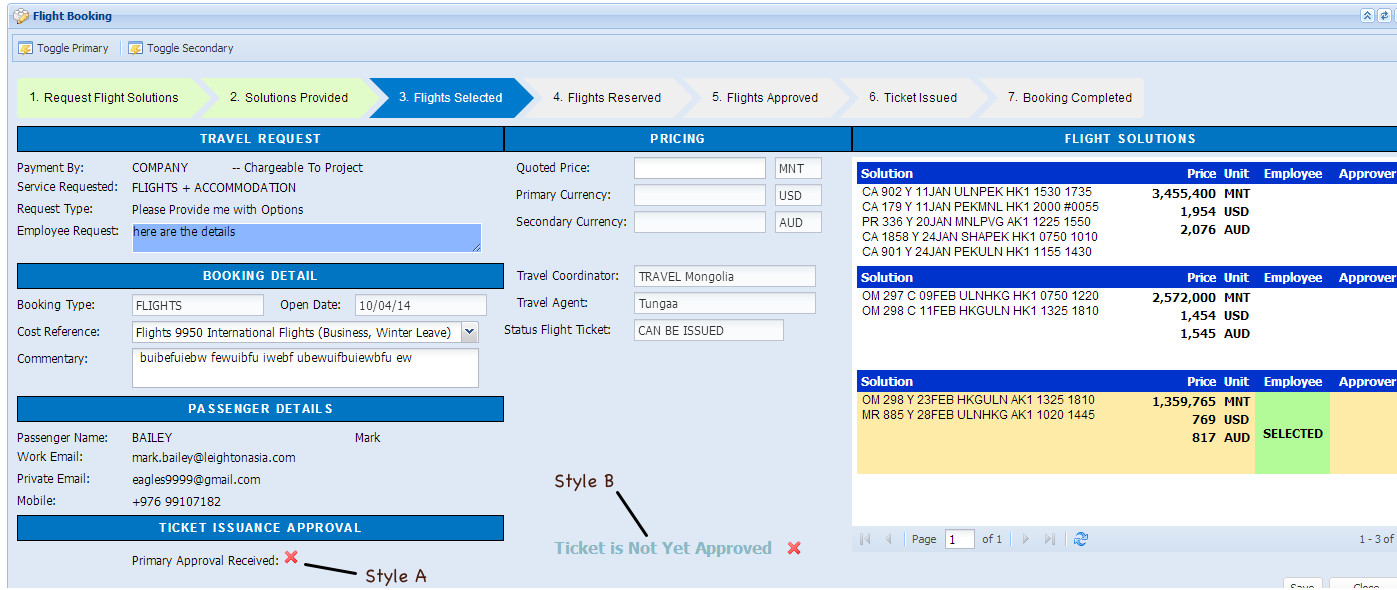
Have a look at this screenshot.
In the bottom left you can see....
Primary Approval Received and a Cross image. That is Style A using SHOW SECTION_START as in the previous post.
Now look at the Style B example which says Ticket is Not Yet Issued. That is css / html and will change to the second screenshot when the value of Booking.TicketCanBeIssued changes from No to Yes. See
Ticket Cannot be Issued....
Ticket Can be Issued....
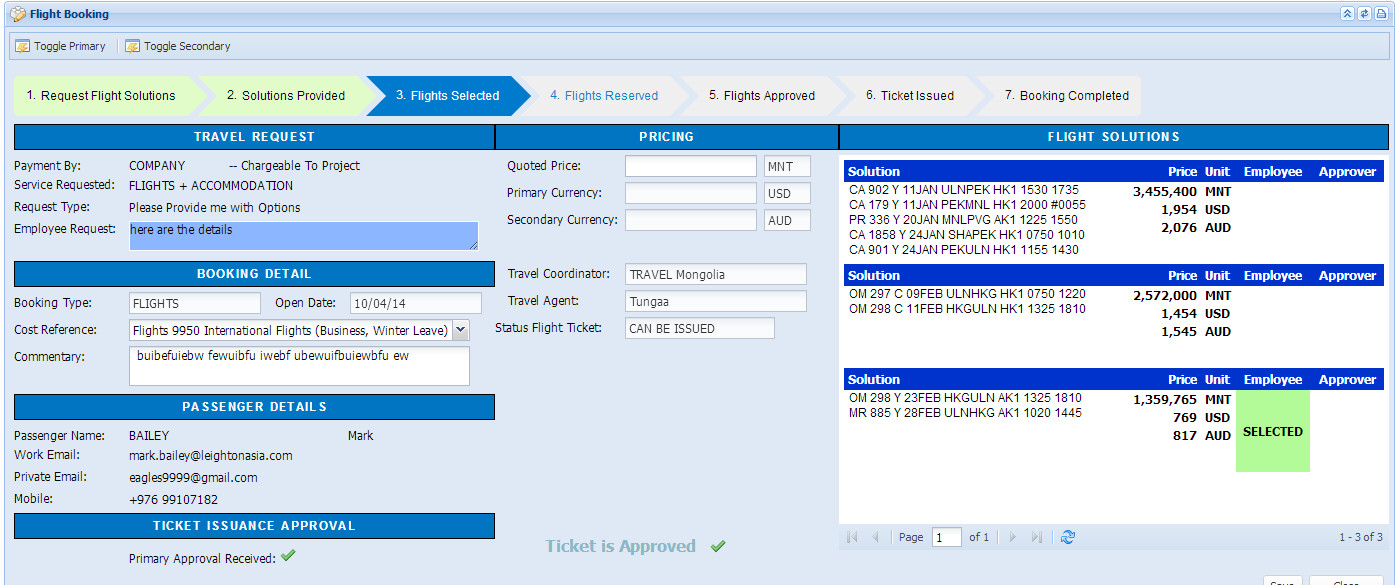
I am sure there is probably a more elegant way of doing it but as html/css is not my thing (thats why I use Aware 😉 ) this is the best I could come up with.
Here is the contents of the Style B html cell...you can see that the <<Booking.TicketCanBeIssued>> forms part of the tag so that the style is dependent on it's value.
You may notice the Progress Meter at the top of the page and the Selected cell in the Flight Solutions table...... they also use a similar concept.
<style>
approvalYes, approvalNo {
font-size: 16px;
font-weight:bold;
color: #89b8c7;
display: inline;
padding-right: 30px;
}
approvalYes.Image {
background: url("images/tick.png") no-repeat right center;
}
approvalNo.Image {
background: url("images/cross.png") no-repeat right center;
}
approvalNo:before{
content: "Ticket is Not Yet Approved";
margin-left:50px;
}
approvalYes:before{
content: "Ticket is Approved";
margin-left:50px;
}
</style>
<approval<<Booking.TicketCanBeIssued>> class="Image"></approval>
