So, here is the scenario....
On a BO (let's call it Parent) Form I have a Reference Table of Owned Children (Child)
I execute an Add New Reference on the Children Reference Table. This opens in a Pop-Up
The Child BO (let's call it Child)has a ps_Product (Peer Single Reference of Product)
Under trivial circumstances that would be a Dropdown and the User would select a product and all would be good.
However, Product contains over 1,000,000 records and the user wants to be able to search them by Product Category and Product Supplier very quickly.
So, the plan was.... Create a Layout with a Category Dropdown (1,000 Categories) and a Supplier Dropdown (1,000 Suppliers) and then show a filtered Query below that panel.
It looks like this...
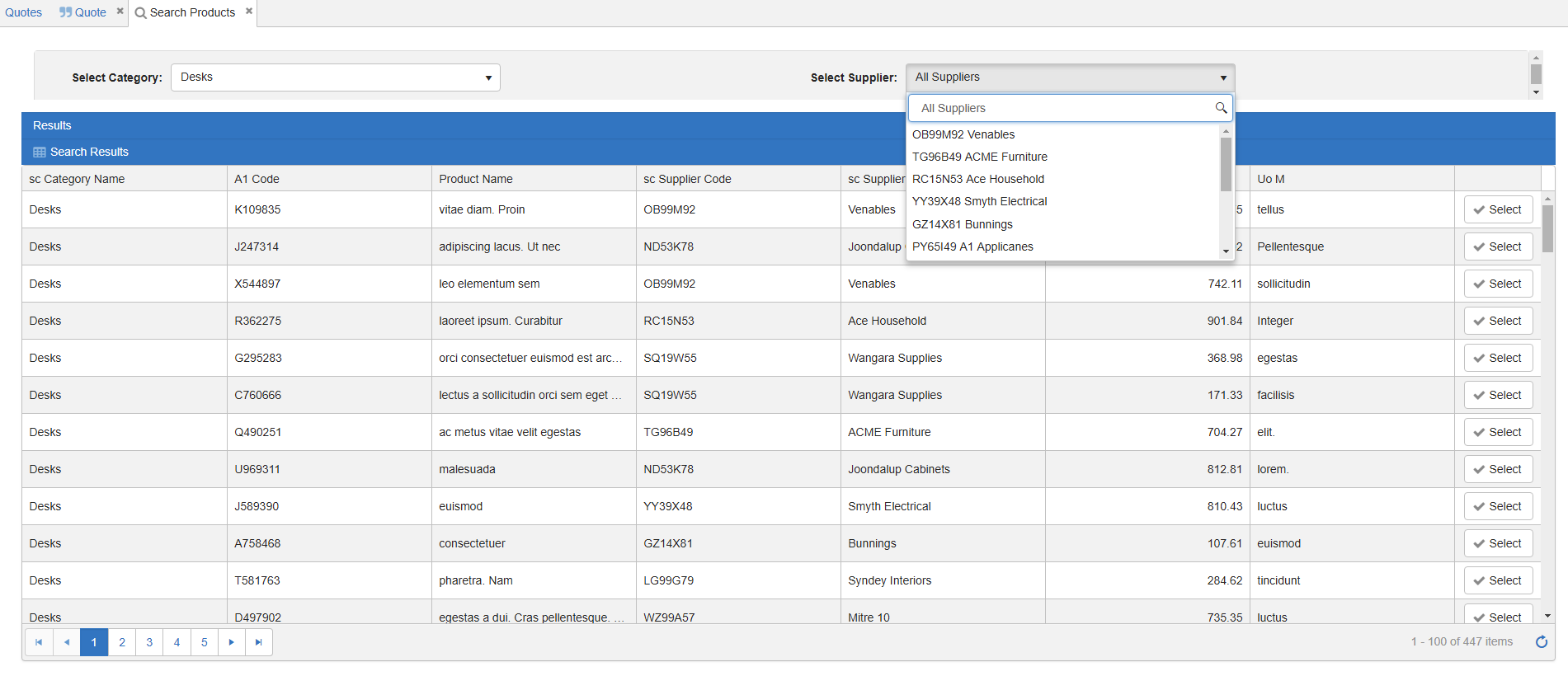
So this part in itself works great.
The User selects a Category from the Category Combo and the Query below only shows records of that Category. Also the Supplier Combo is filtered to only show the Suppliers that have products in the filtered Query.
They then select a Supplier from the Combo and the Query is filtered down even further...
OK. Crunch time....
Parked on the Add Reference Child Form....
Next to the Product Dropdown we place a Search button. This button runs a process (passing Child) which clears the Category and Supplier references in LIRU and then displays the Layout.
LoggedInRegularUser.ps_SelectedCategory = UNDEFINED
LoggedInRegularUser.ps_SelectedSupplier = UNDEFINED
DISPLAY LAYOUT 'Product Search' FROM_VP Layouts
The 'Product Search' Layout is now displayed.
The User Filters and then chooses a Product by Clicking the Select Button to the right on the row.
Question is... How to get that selected Product back into the Child Form that is still open underneath the Layout?
I have spent the last 24 hours practicing for the Olympic Gymnastics team trying to work this out to no avail.
