Normally, one would see this:

ONE MAJOR problem this causes is that a user gets a weird hover response when hovering over a button. because the field and button are not aligned to each other (according to the kendo grid), then you have to be "just in the right space" to click on a button. You know what I mean, if you've added HTML buttons in a 2nd column on a form.
Now I see this:
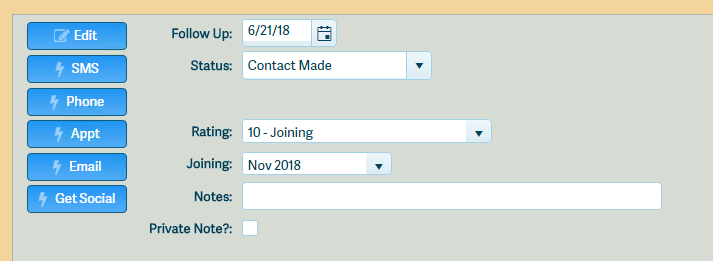
I've done a lot of tweaks to the CSS for out system.
If you create and examine a form like above, you'll see this in the inspector:
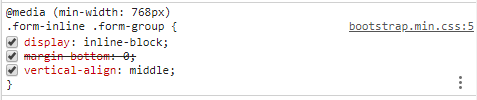
Playing around with that, i realized if I removed inline-block and replaced with just block, the buttons aligned.
But I had trouble (most likely cause of the @media prefix - which I'd never seen before) overriding that CSS.
I eventually did this:
.aw-form .form-inline .form-group {margin-bottom: .2em !important;display:block!important;}
to force the display to block (the margin was from something else).
Haven't seen any negative results - just the fact that a button works correctly is MUY BIEN
